There is an in-depth review of TuneClone Audio Converter
software. The author gives an average score of
4.5 out of 5.

So what do you think of this review? Is it fair and honest? Now
let's take a look at the highlights of this review:
iTunes has invaded pretty much all musical use on the computer
anymore, people who don't really know much about computers hear
about iTunes and assume that's what they're supposed to use for
their music on their computers. Case in point, a friend of mine
does not own an iPod, but yet he and his girlfriend used iTunes to
transfer all of his music over to his computer and it's kinda stuck
there now. Well he'll be the first to admit that he really doesn't
know much about computers at all, so seeing as iTunes was so
popular that's what they decided to use for his music, of course
they didn't ask me anything at all. They transferred over many,
many songs, and of course his mp3 player, a Sandisk, can't play
them so he was stuck with what to do next. So he called me for
help, mind you though, most of his music isn't copy protected/copy
righted etc, he's actually a world renowned Waltz or Ballroom Dance
instructor, so he's got tons of music he uses for that kind of
stuff, and once they spent the hours to put it in his computer via
iTunes he was basically stuck, it was either re-do it all through
another program, buy an iPod or figure out another way to get his
music to his Sandisk player converted to Mp3 format.
So there are a few free versions out there that will help my friend
out, but I needed something that was easy to use, very easy to use
and I found TuneClone, which is very easy to use so that's what
I've got for review today. TuneClone is a program to convert you
iTunes or other music services music over to mp3 format, quickly
and easily. It essentially creates a virtual CDRW drive on your
computer and virtually burns the CD from the main program, iTunes
of other and then TuneClone automatically rips it to mp3 format for
you, so in a few easy steps you've got music that is easily
transferred and played on any device.
Tech Specs, Features or the Basic Info:
Note: The information in this part is from TuneClone homepage,
so please go to http://www.tuneclone.com/index.php
to get to know about tech specs, features and basic info of
TuneClone Audio Converter.
Installation, Testing and Comparison:
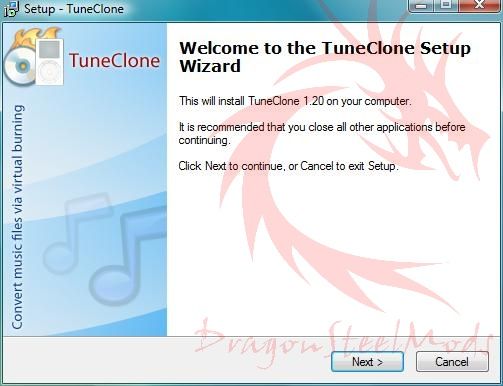
TuneClone is a download, so there are no box shots etc, just
download and install, very easy to do.
There's really not much to do on the end user part of this program,
most is done automatically. Load up TuneClone and hit the 'Open
Media Player' button and your iTunes or whatever will open for you.
If you wish you can change the output directory, and other settings
like bitrates etc, but for most the default settings are
fine.
To use TuneClone you just burn a CD with your program, I'm using
iTunes of course, you just have to make sure the destination drive
is the TuneClone virtual CD, other than that there's nothing else
to change really.
As soon as you hit burn, your CD will start to burn virtually and
then TuneClone goes to work converting the files to MP3 format for
you automatically.
That's it, there's really nothing much more to it, very easy to use
for even someone who doesn't know much about computers.
Summary and Comments:
TuneClone is a great way to free your music from one of the music
services out there, it works well, it works fast and it's very easy
to use.
DragonSteelMods gives TuneClone Audio Converter Software a
4.5 out of 5 score.
Pros:
-Easy use
-Fast
-Works well
Cons:
-Expensive
The full review is available at
http://www.dragonsteelmods.com/index.php?option=com_content&task=view&id=10186&Itemid=38