Okay, after a few days of experimenting with the new youtube
widescreen player, and the new "watch in HD"[Not watch in high
quality] option, i am here to create a guide on how to upload
your videos on youtube-so that it fits the new widescreen player
fully, and have the "Watch in HD" option
I duno why, but when i use CRT monitor on my spare computer, the
"watch in HD" option will be replaced by "Watch in high
quality"
In general, youtube now supports 720p HD, and the aspect ratio
of the new playter is 16:9, therefore, if you noticed, the older
videos have 2 black columns on the left and right. The resolution
is 1280 x 720, thus 720p.
Getting technical, no need to read if you do not find this
important. 720p and 1080i. What the hell are those p and i? P
stands for Progressive, while i stands for Interlaced.
Interlaced is the technology we have been using in the tv for
years. It means splitting the tv image into 2, odd and even lines.
The even one will be shown first, then the odd ones will be
reversed.(i duno how to explaine it properly). Meaning to say half
of the image is 'virtual'. WHy we dun wan 1080i? Reason is simple,
becos it is virtual, the real image and virtual one 'flips' fast.
And when we pause the screen, there will be a 'smudging'.
Whereas for p, the whole resolution is there. Meaning one no
fake image being split into 2, then reverse and all that stuff that
cause the image to be blured when moving fast.
Some might argue that 1080i is better than 720p, but what we want
is 1080p.
Okay enough of my technical explaination thingy, the pics are
being uploaded, let me start:
1. First, if you want your videos to fit the new widescreen, you
need your editing software to encode in the 720p quality. If you
are not using any video editing programs, use the free SUPER
converter from http://www.erightsoft.com/SUPER.html
[scroll through the endless page telling you that this is free,
then download and install]
2. Let the pics do the talking
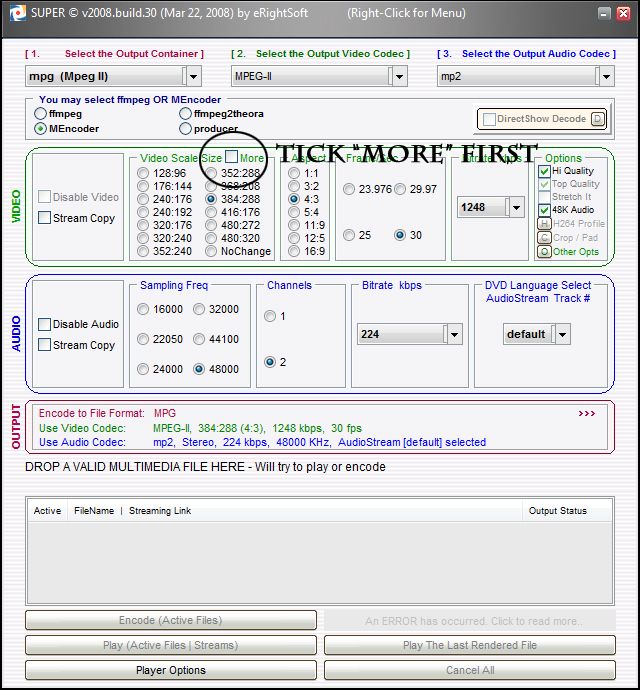
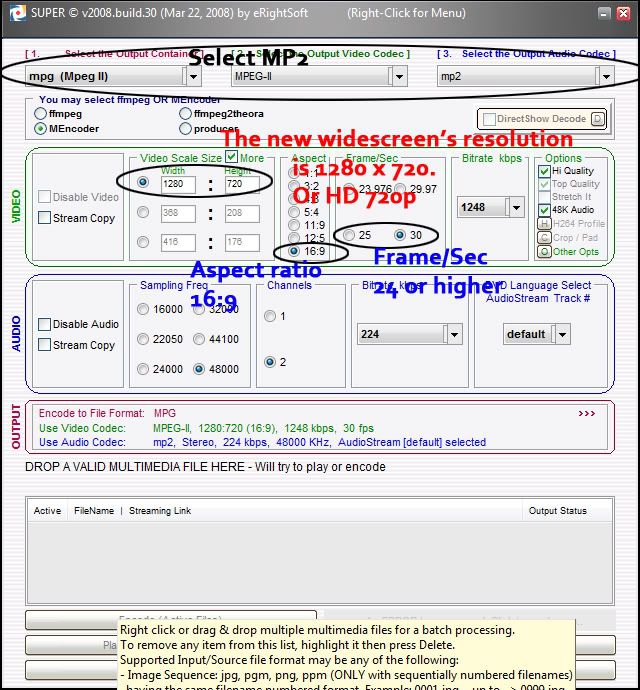
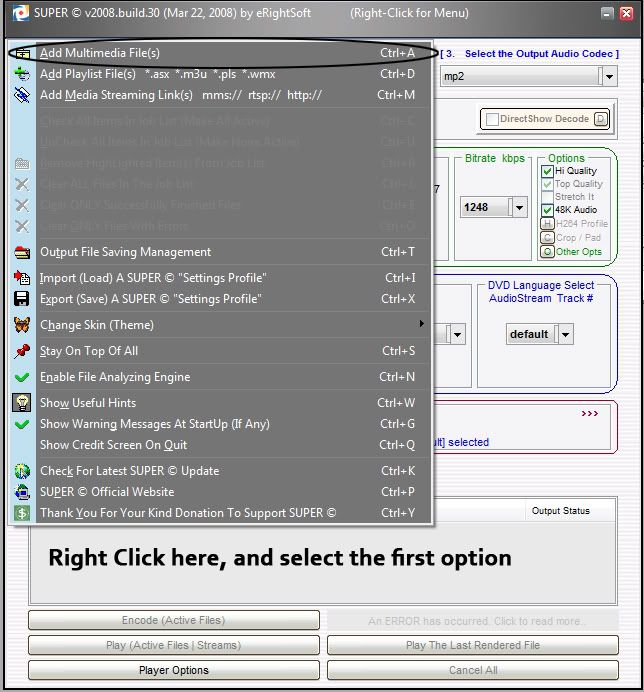
I FORGOT SOMETHING: click
ENCODE(ACTIVE FILES)
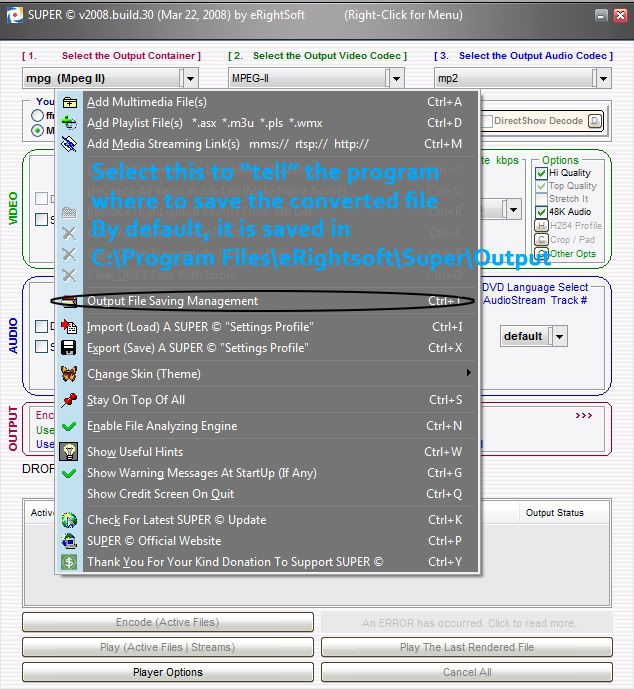
EXAMPLE OF THE VIDEO I
UPLOADED:
http://www.youtube.com/watch?v=jiqWw7-5EcY&watch_response
Click WATCH IN HD to see the difference