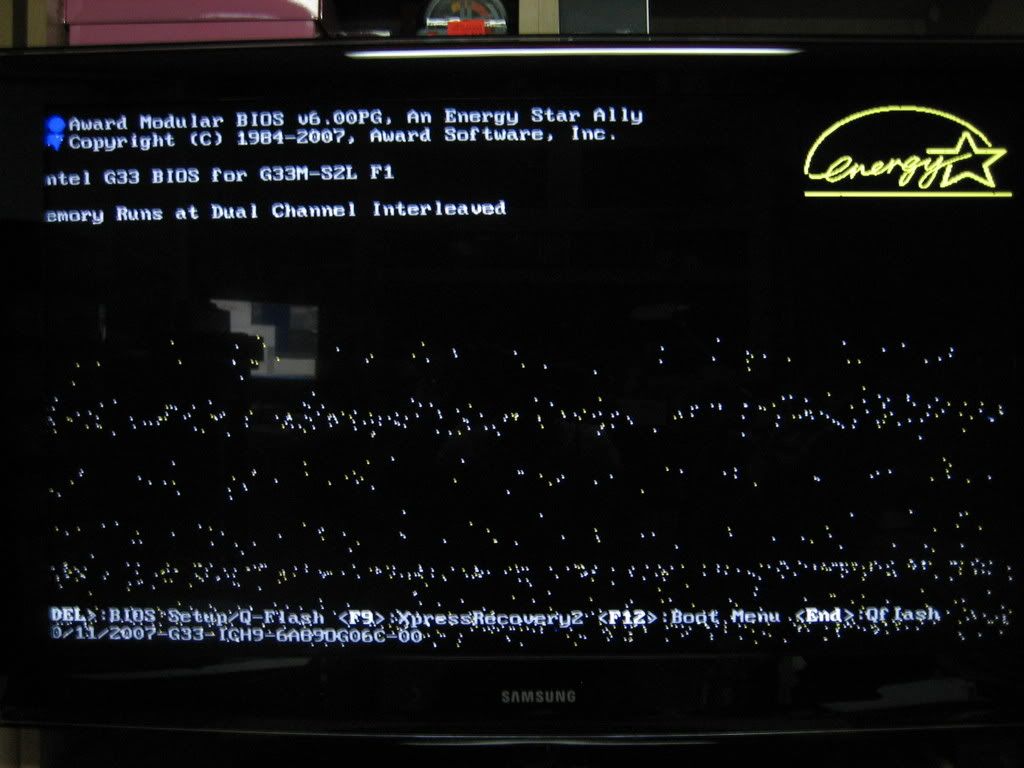
kenn3th SG something like this?this? number them 1,2,3,4. post back if u see any familiar images and how often u see them.+anyupdates recently? like upgrading gpu driver
QX179R SG wah, nothing close to those pics you've posted.anyway, my monitor is Samsung SyncMaster 753DFX..the only thing i've done was to get a brand new cpu as my previous one called it a day as it can't even power up the comp..
kenn3th SG last thing. Switch off your computer.then leave monitor on - no signal should be seen.see if the no signal is clear anot, got any thing that is similar in the picture.
kenn3th SG wah, nothing close to those pics you've posted.anyway, my monitor is Samsung SyncMaster 753DFX..the only thing i've done was to get a brand new cpu as my previous one called it a day as it can't even power up the comp..recently?
QX179R SG ok, suddenly i become noob - to switch off the comp & leave the monitor on, i juz press the button on the cpu..
kenn3th SG ok, suddenly i become noob - to switch off the comp & leave the monitor on, i juz press the button on the cpu..shutdown computer. then monitor dont press button to off.
kenn3th SG shut down also can be problem such as your settings - power settings, hibernation, standby after dunno what time ect.
QX179R SG shut down also can be problem such as your settings - power settings, hibernation, standby after dunno what time ect. so I must check under the power settings..
QX179R SG my power settings are as follows..1) power schemes: Home/Office desk2) turn off monitor: After 20 mins3) turn of hard disks: never4) system standby: neverbtw, wats afk..
gunner77 SG my power settings are as follows..1) power schemes: Home/Office desk2) turn off monitor: After 20 mins3) turn of hard disks: never4) system standby: neverbtw, wats afk..wah uncle..afk also donno u need to keep up with times
QX179R SG happened while i was surfing the net but till now so far nothing happened yet (touch wood)..