Nintendo DS Web
Browser
From Wikipedia:
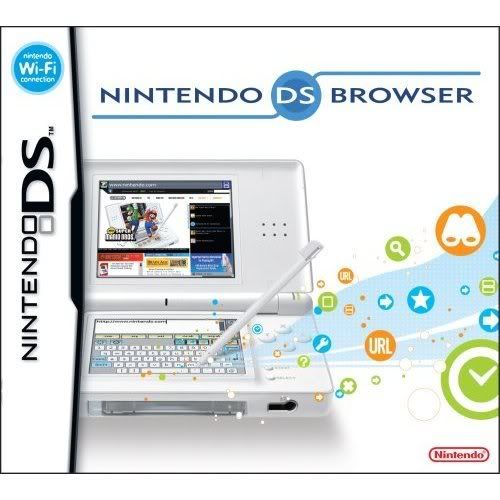
Nintendo DS Browser makes use of the Nintendo DS's touchscreen for
input, with an on-screen keyboard as well as handwriting
recognition and a stock of pre-set text (for example, the .com and
.org top-level domains).
The browser can render pages in two modes, Small Screen Rendering
(SSR) or Overview. In Small Screen Rendering mode, the contents of
the page are displayed in a single column fitting the width of the
screen - for example, a page featuring two columns of text
side-by-side would be displayed as a sinlge column, one after the
other. In Overview mode, a scaled-down "Overview" of the page is
displayed on the touchscreen with a small selection box which can
be moved around using the stylus. The contents of the selection box
are displayed on the top screen at their full size. This selection
can be brought into the touchscreen to click on links, enter text
in boxes, et cetra.
The Nintendo DS Browser connects to the Internet through IEEE
802.11 Wi-Fi wireless networks or hotspots using the built-in Wi-Fi
capability of the Nintendo DS. Home users can connect to the
Internet either using their wireless router or by using a Nintendo
USB Access Point. According to the browser's manual, the system is
free to use at "Nintendo retail hotspots only": the Wi-Fi access
points installed in Nintendo DS kiosks in stores. Attempting to
connect to a The Cloud or BT Openzone hotspot launches the payment
interface, although this doesn't happen on many other servers. The
Nintendo DS browser will connect to the free Wi-Fi service in
Norwich, UK. In Australia, Nintendo has teamed up with
telecommunications provider Telstra to provide free access at over
1,000 wireless hotspots nation-wide.
Nintendo has partnered with Internet security company Astaro to
integrate web filtering technology into the Nintendo DS Browser.
Called Astaro Parental Control, the technology acts as a proxy
filter, providing the option of blocking inappropriate content.
This is provided free of charge and can be activated through a
simple menu option.
As far as browser capabilities, the Nintendo DS browser does have
support for JavaScript in web pages, but not Adobe Flash. Also, due
to the limited storage space, most other dynamic media, such as
videos or sound, will not work in the browser.