1. Open your NIS (Norton Internet Security)
2. Click on 'Privacy Control'
3. Then click on 'Configuration'
4. Click on 'Advanced'
5. Click on 'Add Site'
6. Type 'www.sggirls.com'(see pic)
7. Click on 'www.sggirls.com' site
8. Under 'Global Settings' choose permit for 'Information about
visited sites'
9. Press 'OK' twice
10. Done
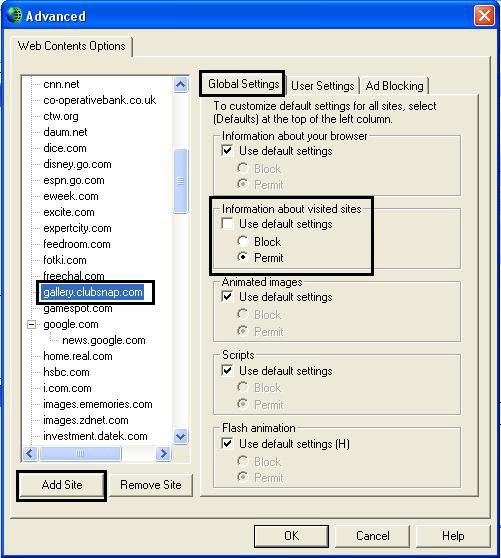
Instead of the gallery.clubsnap.com thing, change to
www.sggirls.com


